
Some public Certificate Authorities have adopted the practice of renewing certificates using the existing private key. As the certificate approaches its expiration date, they automatically generate a new certificate with the existing private key. CA in this case generates only Public key of new Certificate. The administrator’s task is then to extract the private key from the old certificate and associate it with the new public certificate.
There are exists great tool to do it. Just download it from https://github.com/openssl/openssl/wiki/Binaries
In my case I use CygWin with installed OpenSSL modules.
First you need to export both keys, private and public, of existing certificate to PFX with password (!!!)
Next extract private key from PFX. Type password from export and type new password twice:
openssl pkcs12 -in old_cert.pfx -nocerts -out privkey.pem
Now join both keys, private and public, to one PFX.
openssl pkcs12 -inkey privkey.pem -in new_cert_pub_key.txt -export -out new_cert.pfx -keypbe PBE-SHA1-3DES -certpbe PBE-SHA1-3DES -macalg SHA1
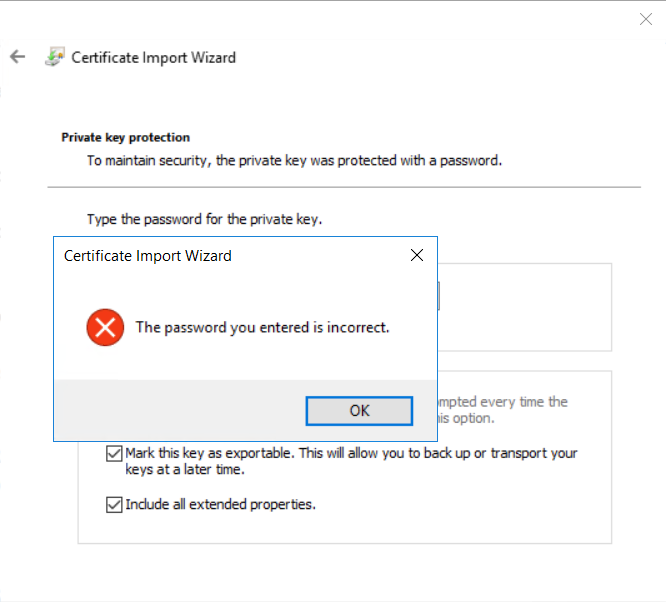
Parameters -keypbe -certpbe and -macalg are required for Windows Server 2019 compatibility. If you don’t use these parameters, you won’t be able to import the PFX file and you will get the error “The password you entered is incorrect”
You can check generated certificate in PFX are in good state with
openssl pkcs12 -in new_cert.pfx -info -noout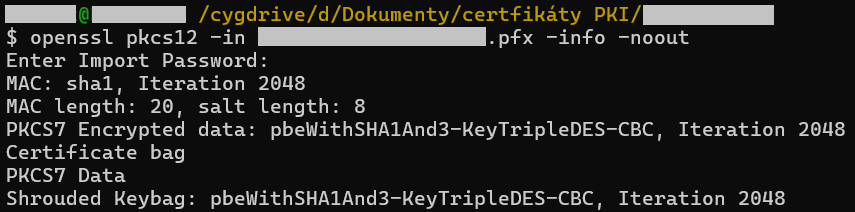
That’s all
Leave a Reply